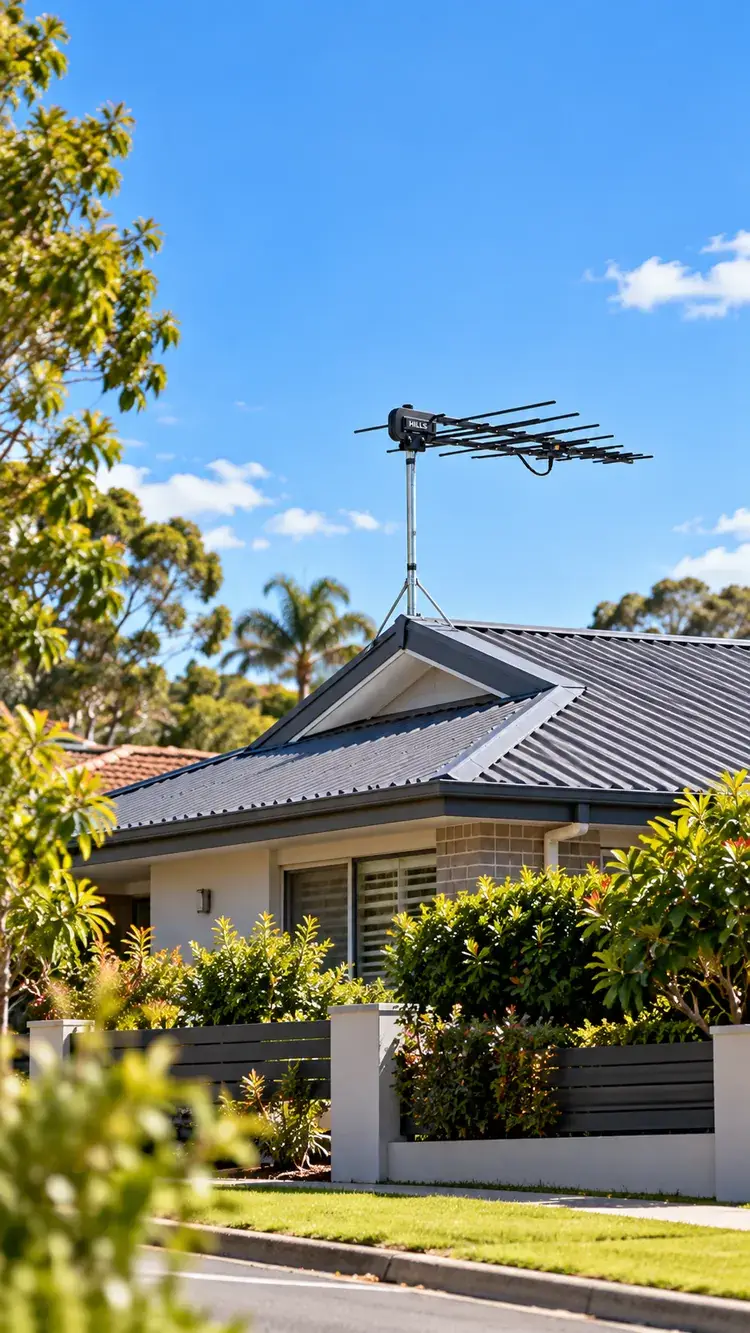
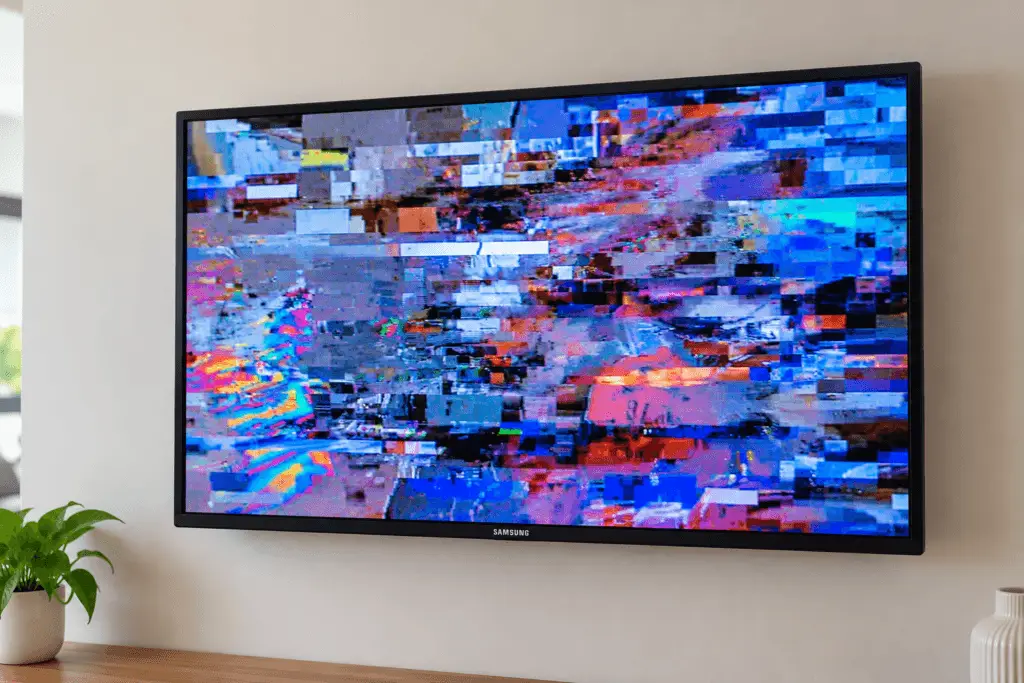
Your TV receives Channel 7, Channel 9 and Channel 10 perfectly, but ABC has disappeared. Maybe ABC TV keeps pixelating, ABC NEWS is missing, or every ABC channel suddenly shows “No Signal”.
This doesn’t automatically mean you need a new TV antenna.
In parts of Sydney, ABC broadcasts on a different radio frequency from the other major networks. An antenna system can receive several channels reliably while struggling with one particular broadcast frequency.
The problem could involve a deteriorating antenna, damaged coaxial cable, loose connection, incorrect tuning, faulty signal amplifier or even a temporary broadcaster outage.
This guide explains what to check yourself, how to narrow down the fault and when professional TV antenna repairs in Sydney are worth arranging.
Why Can ABC Disappear When Other Sydney TV Channels Still Work?
Here’s something many homeowners don’t realise: the channel number on your television isn’t the same as the radio frequency carrying the broadcast.
For example, when you select ABC TV using channel 2 on your remote, you aren’t necessarily receiving a signal on radio-frequency channel 2.
For the main metropolitan broadcasts in Sydney, ABC uses VHF radio-frequency channel 12, while several commercial television services use other VHF frequencies.
ABC explains that deteriorating antenna systems can sometimes lose reception at certain frequencies before others.
That’s one reason ABC reception may fail while other networks continue working.
TV Channel Numbers vs Broadcast Frequencies
| What you see on your TV | What it means |
|---|---|
| ABC TV, usually Channel 2 | The viewer-facing logical channel number |
| ABC NEWS, usually Channel 24 | Another ABC television service |
| VHF Channel 12 | A physical broadcast channel used for ABC on the main Sydney metropolitan transmission system |
| UHF or alternative VHF frequencies | Frequencies that may be used by other transmission sites or regional repeaters |
Important: Not every Sydney property receives television from the same transmitter. Local repeaters and alternative transmission sites may use different channels.
The correct frequency for your home depends on your address and the transmitter serving it.
You can check this using the Australian Government’s mySwitch reception tool.
Seven Things to Check Before Booking an Antenna Technician
These checks are designed for homeowners and tenants. They don’t require opening electrical equipment, accessing roof spaces or climbing onto the roof.
1. Check Whether All ABC Channels Are Missing
Start by checking whether you can receive other ABC services, including ABC NEWS.
There are three different scenarios:
- All ABC channels are missing: The fault may affect reception of the ABC broadcast signal or the receiver’s tuning.
- One ABC service is missing: Investigate the TV’s channel list, receiver compatibility and tuning before assuming the antenna is damaged.
- All television networks are missing: The problem may be somewhere in the shared antenna feed, cabling, amplifier or television setup.
Write down which channels work and which don’t.
This information helps a technician narrow down the problem before replacing equipment.
2. Check for an ABC Broadcast Outage
Before assuming your antenna is faulty, check whether ABC has reported a transmission problem.
Visit the official ABC Faults and Outages page and search for your suburb or postcode.
Also ask a nearby neighbour who uses a rooftop antenna whether they’re experiencing similar issues.
If several neighbouring homes lose ABC at the same time, a local transmission issue becomes more plausible.
However, if your neighbour receives ABC normally and you don’t, the issue may be specific to your property’s reception system.
3. Inspect the TV Cable and Wall Connection
A surprisingly small problem can affect television reception.
Start with the short coaxial cable connecting your television to the wall outlet. This is commonly called the fly lead.
Check that:
- Both ends are firmly connected.
- The cable hasn’t been crushed behind a cabinet.
- The connectors aren’t loose or visibly damaged.
- The cable isn’t sharply bent.
- The television is connected to the correct antenna outlet.
If you have a known-good spare fly lead, try replacing the existing one.
A damaged connection can reduce signal quality enough to affect a television channel that already has less reception margin.
This is a simple test worth doing before paying for replacement equipment.
[IMAGE IDEA: Close-up comparison of a damaged coaxial TV fly lead and a correctly fitted replacement cable beside a wall-mounted TV outlet.]
4. Compare Reception on Another Television
If you have more than one television, check ABC on both.
This gives you useful diagnostic information.
| What happens | What it may suggest |
|---|---|
| ABC fails on every television | A shared antenna, amplifier, distribution or tuning issue |
| ABC fails on one television only | A local outlet, fly lead, cable run or receiver issue |
| ABC works when connected to a different outlet | The original outlet or its cable path may need checking |
| Reception becomes worse when more TVs are connected | Signal distribution, splitters or amplification may need assessment |
These results aren’t definitive diagnoses, but they can help identify where testing should begin.
For example, if ABC works perfectly in the living room but not in the bedroom, replacing the rooftop antenna immediately would be premature.
The bedroom’s TV outlet, cable run and receiver should be checked first.
5. Check the Existing Signal Amplifier
Some Sydney homes use an antenna amplifier to help distribute television signals to multiple outlets.
The amplifier may have a separate power supply near a television, cupboard or accessible power point.
If your system has one, check whether the power supply is connected and operating normally.
Don’t automatically install a stronger booster.
An amplifier doesn’t repair a damaged antenna, restore a missing cable connection or correct poor signal quality. Excessive amplification can also overload a television receiver.
If you’re unsure whether your property has an amplifier, leave the equipment connected and mention it when arranging an inspection.
6. Check Your TV Tuning Settings
Sometimes the channels are available, but the television has stored an incorrect or outdated tuning arrangement.
Look in your television’s settings for options such as:
Settings → Broadcasting / Channels → Digital Tuning
The exact menu depends on your TV brand and model.
Before changing anything, use mySwitch to check the recommended transmitter and frequencies for your address.
If your television supports manual digital tuning, this can help select the correct local broadcast frequency.
Automatic scanning can be useful when channels have changed, but repeatedly scanning during weak reception may remove previously stored services without fixing the original problem.
If you’re uncertain about the process, check the television manufacturer’s instructions.
7. Arrange Professional Signal Testing if ABC Still Doesn’t Work
If you’ve ruled out a broadcast outage, checked the accessible cables and confirmed the issue isn’t isolated to one television, professional signal testing becomes worthwhile.
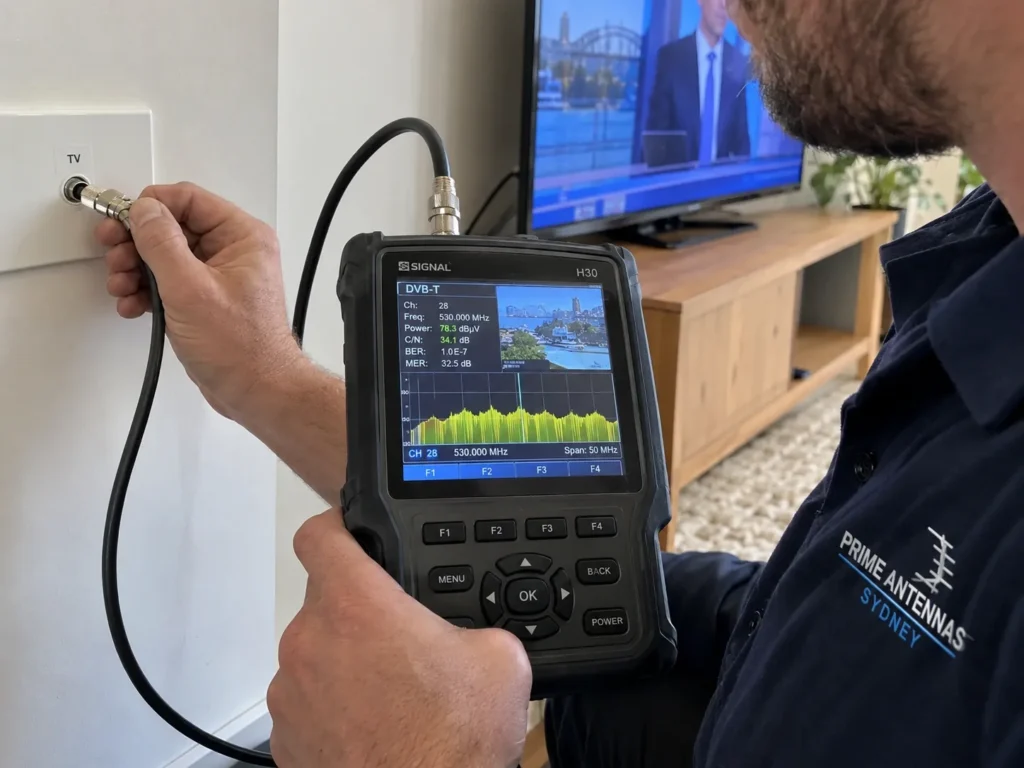
A technician can measure the signal at the TV outlet and investigate the antenna system.
This helps determine whether the problem is caused by low signal level, poor signal quality, a damaged component or unsuitable equipment.
The goal should be to identify the fault, not automatically replace the antenna.
What Actually Causes ABC Reception Problems in Sydney Homes?
Several faults can produce similar symptoms. Understanding the differences helps you avoid unnecessary repairs.
An Older Antenna Struggling With Certain Frequencies
Over time, rooftop antennas can deteriorate due to corrosion, weather exposure or physical damage.
A damaged antenna doesn’t always stop receiving every channel at once.
Some frequencies may become unreliable before others, particularly when the antenna was already operating close to the minimum reception quality needed by the television.
A proper assessment checks whether the antenna is suitable for the frequencies used at your location.
Water-Damaged Coaxial Cable
Outdoor coaxial cable is exposed to heat, rain and changing weather conditions.
Poorly sealed connectors or damaged cable jackets can allow moisture into the cable system.
Reception problems may become more noticeable during wet weather.
If the antenna itself is still suitable, replacing the affected cable or connection may be more practical than replacing the entire rooftop installation.
Incorrect Antenna Alignment
Antenna positioning matters.
Sydney properties can face different reception conditions depending on surrounding buildings, terrain, transmitter location and roof characteristics.
An antenna pointing in the wrong direction may still receive some stations while struggling with others.
A technician should use location-specific transmitter information and measured reception quality when choosing or correcting the antenna’s position.
Faulty Splitters or Signal Distribution
When one rooftop antenna supplies multiple rooms, the signal usually passes through splitters and additional coaxial cable.
Each part of the distribution system can affect the signal reaching the television.
Poor connections, unnecessary splitting or incorrectly selected equipment can reduce the available reception margin.
The correct solution might be a connection repair, splitter replacement or system adjustment.
Electrical Interference
Reception problems aren’t always caused by a weak antenna signal.
Some electrical devices can create interference, including faulty LED lighting, power supplies, motors and other appliances.
If ABC reception becomes unreliable whenever a particular appliance operates, that timing may help identify the source.
A technician can investigate whether the problem is interference rather than simple signal loss.
Electrical faults should be assessed by an appropriately qualified professional.
Recent Roofing, Solar or Renovation Work
Antenna reception can also change after work is completed around the roof or television cabling.
Possible causes include an antenna being moved, damaged cabling, altered mounting or changes to signal pathways.
If ABC disappeared immediately after renovation work, tell the technician what changed and when.
[IMAGE IDEA: Technician using a professional digital TV signal meter at an indoor wall outlet, with the meter screen visible and cable properly connected.]
The Sydney Reception Diagnosis Guide
The table below summarises common symptoms and useful next steps.
| Symptom | First thing to investigate | Possible professional solution |
|---|---|---|
| ABC missing, other networks work | ABC outage, tuning, frequency-specific reception | Signal testing, antenna adjustment or component repair |
| All TV channels missing | Source selection, shared cabling, amplifier power | System fault finding |
| ABC pixelates during rain | Cable moisture, antenna condition or changing reception | Cable, connector or antenna inspection |
| One TV loses ABC | Fly lead, outlet, receiver or individual cable run | TV point repair or cable replacement |
| Problems started after a storm | Possible antenna movement or damage | Rooftop inspection and repairs |
| Picture breaks up when appliances operate | Potential electrical interference | Interference investigation |
| Channels disappear after a rescan | Incorrect transmitter selection or inadequate signal | Correct manual tuning and reception assessment |
These are starting points, not guaranteed diagnoses.
The same symptom can have multiple causes, which is why testing the complete reception pathway is important.
What Should a Professional TV Antenna Technician Test?
A proper antenna inspection involves more than looking at the rooftop antenna.
Depending on the property and the fault, a technician may check:
- Broadcast frequency and transmitter: Confirming which local transmitter should serve the property.
- Antenna condition: Looking for corrosion, broken elements, loose mounts or unsuitable equipment.
- Signal level: Measuring how much signal reaches relevant points in the system.
- Signal quality: Evaluating whether the digital signal contains excessive errors or interference.
- Coaxial cabling: Checking the condition and performance of existing cable runs.
- Splitters and amplifiers: Identifying distribution losses, equipment faults or possible overload.
- Final TV outlets: Confirming reliable reception after the agreed work is completed.
Professional digital television meters can measure technical indicators such as modulation error ratio (MER) and bit error rate (BER).
These measurements help distinguish a genuinely usable signal from one that appears strong but contains too many errors for reliable reception.
A high signal-strength reading alone doesn’t prove good reception quality.
This distinction is especially important when diagnosing intermittent or channel-specific television reception problems.
Should You Repair or Replace Your TV Antenna?
The answer depends on the condition of the existing equipment and the results of testing.
A Repair May Be Enough When:
- The existing antenna is still suitable and in good condition.
- A damaged connector or coaxial cable is causing the fault.
- One TV outlet has a poor connection.
- A splitter, power supply or amplifier has failed.
- Minor antenna alignment adjustments can restore adequate reception.
Replacement May Be Better When:
- The antenna has extensive physical damage or corrosion.
- Multiple antenna components have deteriorated.
- The installed antenna isn’t suitable for the required broadcast frequencies.
- Existing equipment cannot provide sufficiently reliable reception.
- Repairing the old system would be impractical compared with a properly designed replacement.
The decision should be based on the condition and performance of the complete system.
How Much Does It Cost to Fix Missing ABC Channels in Sydney?
There isn’t one reliable fixed price for every reception problem.
The cost depends on what testing reveals and what work is actually required.
For example, replacing an accessible faulty connection is a different job from replacing a damaged rooftop antenna on a double-storey property.
The main factors affecting a quotation include:
- The type and location of the fault.
- Roof height, access and installation complexity.
- Whether new coaxial cabling is required.
- The condition of the existing antenna and mounting hardware.
- Whether splitters, amplifiers or TV outlets need attention.
- The number of televisions or outlets that require testing.
Before approving a major antenna replacement, ask the technician what failed, whether a smaller repair is practical and what the quotation includes.
At Prime Antennas Sydney, we provide free quotes and explain the recommended work before proceeding.
Special Considerations for Apartments, Units and Strata Properties
Not every property has its own independent rooftop antenna.
Some apartment buildings and commercial premises use a shared television distribution system.
If you live in an apartment and ABC disappears, check whether neighbouring units are experiencing the same issue.
A shared distribution fault may require coordination with building management or strata rather than replacement of equipment inside your unit.
For tenants, it may also be appropriate to contact the property manager before arranging work on shared or roof-mounted equipment.

Missing ABC Channels? Get the Actual Fault Checked
Losing ABC doesn’t automatically mean replacing your rooftop antenna.
A faulty coaxial connection, incorrect tuning, damaged amplifier or antenna alignment problem may be responsible.
Prime Antennas Sydney is a family-owned business providing TV antenna installation, antenna repairs, signal testing and reception fault finding throughout Greater Sydney.
We service residential and commercial properties, with more than 10 years of industry experience, fully insured workmanship and free quotes. Eligible installations are covered by our 15-year parts and labour warranty.
Whether you’re experiencing missing ABC channels, pixelation, intermittent reception or complete signal loss, we’ll assess the problem and explain the available solutions.
Explore Our TV Antenna Installation & Repair Services
Technical References
This guide draws on publicly available Australian broadcast and reception information:
- ABC: Why Television Reception Can Pixelate or Drop Out
- ABC: Understanding Logical Channel Numbers and Frequencies
- ACMA: TV Reception Problems and Fixes
- Australian Government: mySwitch
- ABC: Known Transmission Faults and Outages
Quick Summery
- ABC channels may go missing due to a variety of issues, including antenna problems, incorrect tuning, or signal interference.
- It’s crucial to check whether all ABC channels are missing before assuming antenna failure; evaluate cable connections and compare reception on other TVs.
- Antenna reception can also be affected by local broadcast outages, irregular signal quality, and changes in the environment after renovations or weather events.
- Professional signal testing can help identify the exact cause of the problem, rather than automatically replacing hardware without diagnosis.
- For apartments or shared systems, consult with your neighbours or building management to understand if there’s a communal issue affecting ABC reception.